When business leaders consider website development, discussions typically revolve around visual appeal, conversion funnels, page speed, and organic search rankings. Website accessibility is frequently relegated to an afterthought—viewed either as an obscure technical compliance requirement or an unnecessary development expense. This perspective is a costly commercial mistake. Web accessibility is not merely about regulatory compliance; it is about ensuring that every potential customer, regardless of ability or device, can navigate your digital presence, understand your offerings, and do business with your company.
According to global health organizations, approximately 16 percent of the world’s population lives with a significant disability. Furthermore, millions of additional users experience temporary or situational impairments—such as browsing on a mobile device in bright sunlight, recovering from eye surgery, or navigating a website using only one hand due to an injury. When a website contains fundamental accessibility barriers, it actively excludes a substantial segment of its addressable market while degrading user experience for everyone.
Accessible web development directly aligns with modern search engine optimization, mobile usability, and clean software architecture. By identifying and resolving the most common website accessibility problems, businesses expand their customer reach, protect their digital reputation, and build a more resilient online platform.
Accessibility vs. Usability: What Is the Difference?
Although website accessibility and usability are closely intertwined, they address different aspects of the digital user experience:
- Usability measures how efficient, intuitive, and satisfying a website is for an average user to achieve a specific goal (e.g., finding a pricing plan or submitting a contact form).
- Accessibility ensures that people with diverse disabilities—including visual, auditory, motor, speech, and cognitive conditions—can perceive, understand, navigate, and interact with the website just as effectively as anyone else.
An inaccessible website is fundamentally unusable for someone relying on assistive technologies such as screen readers, screen magnifiers, speech-recognition software, or alternative input devices. Conversely, when you engineer an accessible website, usability improves universally. High-contrast typography is easier for aging executives to read; clear form labels prevent submission errors for all users; and logical heading structures help both screen readers and search engine crawlers understand your content faster.
Why Accessibility Must Be Built In, Not Added Later
A frequent error among commercial organizations is attempting to solve accessibility through quick third-party "accessibility overlays" or automated JavaScript plugins. These widgets promise instant compliance with a single line of script, but they frequently fail in practice. Automated overlays cannot correct broken HTML semantics, cannot fix inaccessible PDF documents, often interfere with native assistive devices, and do not shield organizations from legal scrutiny.
True web accessibility is an architectural discipline governed by the globally recognized Web Content Accessibility Guidelines (WCAG 2.2), developed by the World Wide Web Consortium (W3C). The WCAG framework is built on four core principles, known as POUR:
| Principle | Core Requirement | Practical Development Implication |
|---|---|---|
| 1. Perceivable | Information and user interface components must be presentable to users in ways they can perceive. | Providing descriptive alternative text for images, sufficient color contrast, and closed captions for video content. |
| 2. Operable | User interface components and navigation must be operable by all users. | Ensuring complete keyboard navigability, clear focus indicators, logical tab orders, and sufficient interaction time. |
| 3. Understandable | Information and the operation of the user interface must be understandable. | Clear, predictable navigation patterns, explicit form field labels, and descriptive, helpful error-recovery messages. |
| 4. Robust | Content must be robust enough that it can be interpreted reliably by a wide variety of user agents, including assistive technologies. | Clean, valid semantic HTML markup, appropriate ARIA attributes, and cross-browser and cross-device compatibility. |
Retrofitting an existing, poorly built website for accessibility can cost three to four times more than engineering accessible code from day one. Integrating accessibility into your initial development workflow guarantees cleaner code, faster page loads, and lower technical debt.
10 Critical Website Accessibility Problems Businesses Should Fix
1. Insufficient Color Contrast Between Text and Background
Low-contrast text is one of the most common accessibility violations on the web. Subtle light-gray text on a white background or dark-blue text on a black hero banner may look artistic to a visual designer, but it is unreadable for visitors with low vision, color blindness, or anyone using a mobile screen outdoors.
The Fix: Under WCAG 2.2 Level AA standards, standard body text must have a minimum contrast ratio of 4.5:1 against its background. Large text (18pt or 14pt bold) requires at least 3:1 contrast. Test your brand palette using verified contrast checkers to ensure compliance across all buttons, headings, and body copy.
2. Missing or Non-Descriptive Image Alternative Text (Alt Text)
Images without descriptive alt text leave screen reader users completely in the dark regarding visual information. Conversely, stuffing image alt tags with keyword-stuffed SEO phrases damages accessibility and frustrates users.
The Fix: Write concise, descriptive alternative text that conveys the actual context and function of the image. For example, instead of alt="best web developer seo digital marketing", use alt="Senior engineer analyzing website architecture and server response times". If an image is purely decorative (such as a subtle background pattern or divider line), use an empty alt="" attribute so assistive technology knows to skip it cleanly.
3. Incomplete Keyboard Navigation and Missing Focus Indicators
Many individuals with motor disabilities, tremors, or repetitive strain injuries cannot operate a computer mouse or trackpad; they rely entirely on the keyboard (using the Tab, Shift+Tab, Enter, and Arrow keys) to browse. Many developers make the mistake of removing browser focus outlines via CSS (outline: none;) because they dislike how the visual box looks.
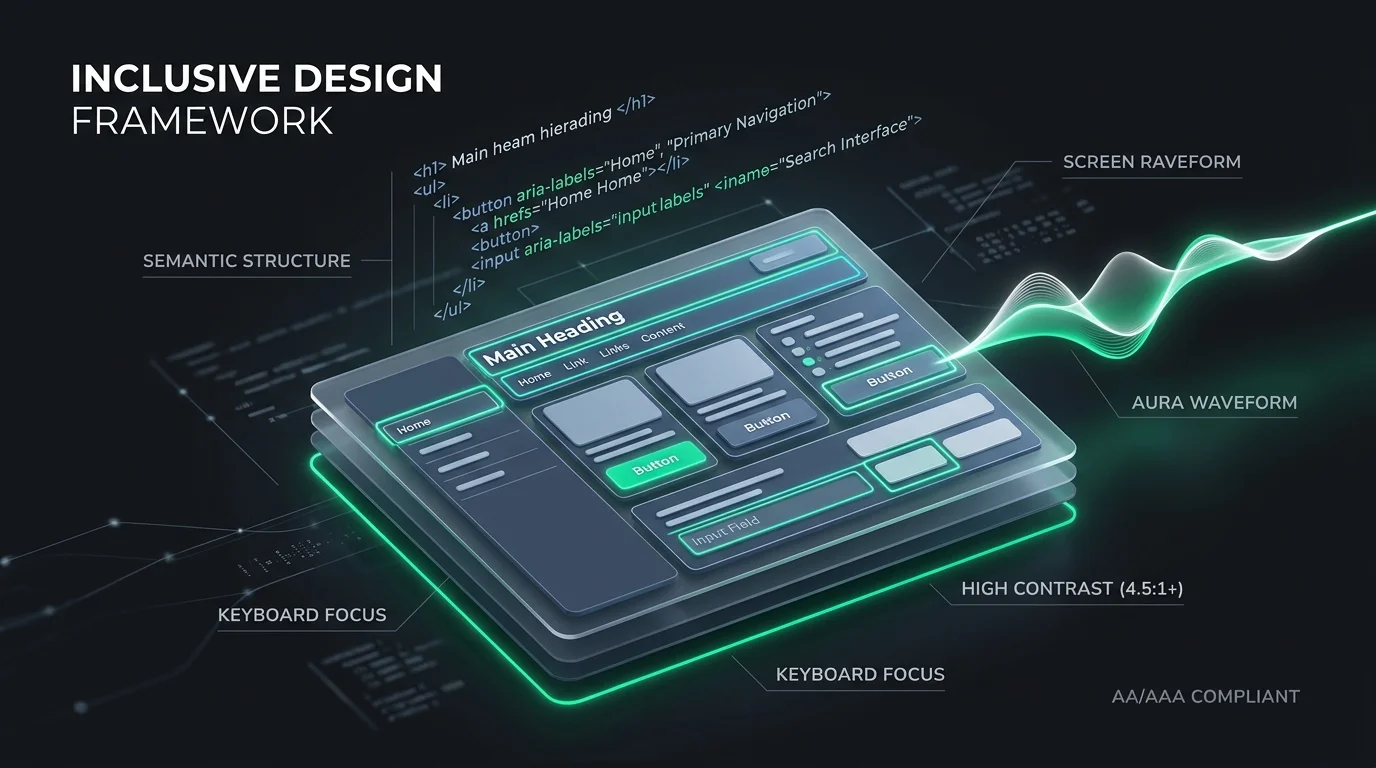
The Fix: Ensure that every interactive component—including links, buttons, navigation menus, and form inputs—is fully operable via the keyboard alone. Never remove focus outlines without replacing them with custom, high-visibility visual focus indicators that clearly show keyboard users which element is currently active.
4. Unlabeled or Ambiguous Form Fields
Commercial websites depend on inquiry forms to generate revenue. Yet many modern forms rely exclusively on placeholder text inside the input field rather than explicit <label> elements. Placeholder text typically disappears when a user begins typing, creates low-contrast issues, and is frequently skipped by screen readers.
The Fix: Always associate every input field with a clear, permanent, visible <label> element using the for and id attributes. For complex forms, provide inline hints and ensure that required fields are explicitly identified in text, not just with a red asterisk.
5. Generic or Ambiguous Link Anchor Text
Screen reader users often navigate pages by generating a standalone list of all links on a page to scan for destinations quickly. When a page is populated with dozens of links that simply read "Click Here," "Read More," or "Learn More," the user has no way of knowing where those links lead without reading the surrounding context.
The Fix: Use descriptive anchor text that explains the destination or action. Replace "Click here" with "Download our website redesign checklist" or "Explore our custom web development services." This practice not only improves accessibility but also significantly strengthens contextual internal linking for search engines.
6. Broken or Illogical Heading Hierarchy
Headings (H1 through H6) serve as an architectural outline for web pages. Developers and content creators often select heading tags based on visual font size rather than semantic structure (e.g., jumping from an H1 directly to an H4 because they prefer smaller text).
The Fix: Maintain a strict, logical document outline. Use exactly one H1 tag per page to define the core topic. Nest subsequent sections logically under H2 tags, and subsections under H3 tags without skipping levels. Control font sizes, weights, and colors through CSS classes rather than manipulating semantic HTML heading tags.
7. Confusing or Inaccessible Error Handling in Forms
When a user makes an error on an inquiry form (such as entering an invalid phone number or omitting a required field), many forms simply turn the input border red with no text explanation. Color-blind users cannot detect red borders, and screen reader users receive no audio notification that an error occurred.
The Fix: Present error messages in clear, high-contrast text directly above or below the affected field. Describe the specific error and provide instructions on how to correct it (e.g., "Please enter a valid 10-digit phone number"). Use ARIA live regions (aria-live="polite") or aria-describedby attributes to announce errors automatically to screen readers.
8. Lack of a "Skip to Main Content" Bypass Link
On websites with extensive header menus, dropdowns, and social icons, a keyboard or screen reader user must press the Tab key dozens of times on every single page just to reach the main article or service copy. This creates immense physical fatigue and cognitive friction.
The Fix: Implement a hidden "Skip to main content" link at the very top of your HTML structure. The link remains invisible to visual mouse users until it receives keyboard focus, allowing keyboard navigators to bypass repetitive header navigation with a single keystroke and jump directly to the primary <main> container.
9. Videos and Multimedia Without Captions or Transcripts
Video content is an increasingly critical component of modern digital marketing. However, publishing product demos, customer testimonials, or executive interviews without synchronized closed captions excludes deaf or hard-of-hearing users, as well as the millions of individuals who browse with mobile audio muted.
The Fix: Provide accurate, synchronized closed captions for all video assets. For long-form webinars, podcasts, or technical presentations, provide a complete text transcript on the page. Text transcripts also provide valuable, indexable content that search engines can crawl and rank.
10. Reliance on Color Alone to Convey Meaning
Using color as the sole visual indicator of status, action, or requirement makes information inaccessible to the millions of individuals with red-green or other forms of color vision deficiency.
The Fix: Always supplement color cues with distinct shapes, icons, or explicit text labels. If a form field is invalid, pair the red border with an error icon and descriptive text. In data tables or charts, use patterns, underlines, or text labels alongside color coding to ensure data points are distinguishable.
Accessibility Checklist for Commercial Websites
Use this evaluation checklist to assess your current website against fundamental accessibility benchmarks:
| Accessibility Area | Evaluation Criterion | Status |
|---|---|---|
| Contrast | All body text achieves at least a 4.5:1 contrast ratio against the background. | Pass / Fail |
| Keyboard Operability | All links, buttons, and form inputs are operable using only the keyboard. | Pass / Fail |
| Focus States | High-visibility visual indicators appear around active elements during keyboard tabbing. | Pass / Fail |
| Images | All informational images have descriptive alt text; decorative images have empty alt attributes. | Pass / Fail |
| Forms | All input fields have permanent, visible <label> elements linked via for attributes. | Pass / Fail |
| Navigation Bypass | A functional "Skip to main content" link exists at the very top of the DOM structure. | Pass / Fail |
| Headings | One H1 per page, followed by a logical, un-skipped hierarchy of H2 and H3 tags. | Pass / Fail |
| Error Feedback | Form validation errors are described in explicit text, not communicated solely through red borders. | Pass / Fail |
How Web Accessibility Directly Enhances Business Performance
Prioritizing web accessibility delivers direct commercial advantages that extend far beyond regulatory requirements:
- Expanded Market Reach: Accessible websites welcome the tens of millions of consumers and corporate buyers with disabilities, seniors experiencing age-related sensory declines, and situational users who would otherwise bounce to a competitor.
- Superior Search Engine Optimization: Search engine crawlers interpret web pages similarly to screen readers. Semantic heading structures, descriptive alternative text for images, clear link anchor text, and fast, clean HTML code make it significantly easier for Google and other search engines to crawl, index, and rank your content accurately. Following disciplined on-page SEO principles directly complements accessibility best practices.
- Reduced Technical Debt and Superior Code Quality: Writing clean, semantic HTML conforming to WCAG standards eliminates bloated third-party scripts, resulting in faster load times and cleaner cross-device rendering. For companies evaluating whether to invest in an interface refresh or structural modernization, understanding our framework for a website redesign vs rebuild helps prioritize accessibility into core engineering.
- Strengthened Brand Reputation: Demonstrating digital inclusion and corporate responsibility builds trust with modern consumers, corporate procurement teams, and institutional clients.
Frequently Asked Questions (AEO)
What is website accessibility?
Website accessibility (often abbreviated as a11y) is the practice of designing, developing, and structuring websites so that people with disabilities can perceive, understand, navigate, and interact with digital content effectively. It encompasses visual, auditory, motor, and cognitive conditions, ensuring equal digital access through clean code and compatibility with assistive technologies.
What are the WCAG standards?
The Web Content Accessibility Guidelines (WCAG) are international technical standards published by the World Wide Web Consortium (W3C). The current standard, WCAG 2.2, establishes criteria organized under four principles: Perceivable, Operable, Understandable, and Robust. Most commercial organizations target Level AA compliance, which balances rigorous accessibility with practical design execution.
Do automated accessibility widgets or overlays make a website fully compliant?
No. Automated third-party accessibility overlays or quick-fix JavaScript widgets do not make a website legally or technically compliant. Overlays cannot rewrite underlying semantic HTML, often interfere with native screen-reading software, fail to remediate inaccessible documents, and have been widely criticized by disability advocates and legal experts. True accessibility requires native code remediation.
Does web accessibility improve search engine rankings?
Yes. Web accessibility directly supports search engine optimization. Search engine crawlers interpret web pages similarly to screen readers. Semantic heading structures, descriptive alternative text for images, clear link anchor text, and fast, clean HTML code make it significantly easier for Google and other search engines to crawl, index, and rank your content accurately.
Is website accessibility legally required for private businesses?
In many jurisdictions worldwide (including the United States under the Americans with Disabilities Act, the European Union under the European Accessibility Act, and various regional laws), digital properties are increasingly classified as public accommodations. Ensuring your website adheres to WCAG Level AA standards significantly reduces legal exposure while expanding your commercial addressable market.
Build an Accessible, High-Performance Website With Digitons Development
Digital accessibility is not a barrier to creative design; it is the foundation of high-performance web engineering. Ensuring your digital presence is accessible to every user reflects corporate integrity, expands your customer base, and builds long-term digital authority.
At Digitons Development, we build modern digital solutions grounded in clean code, robust architecture, and inclusive design standards. Our engineering team integrates accessibility directly into our development lifecycle to deliver resilient, high-converting platforms.
Learn more about our scalable custom web development services, explore our human-centered website designing capabilities, or contact our senior engineering consultants today to evaluate and enhance your website's accessibility.
Ready to turn these ideas into results?
Let's discuss how tailored digital marketing, custom web engineering, and targeted SEO can accelerate your business goals.