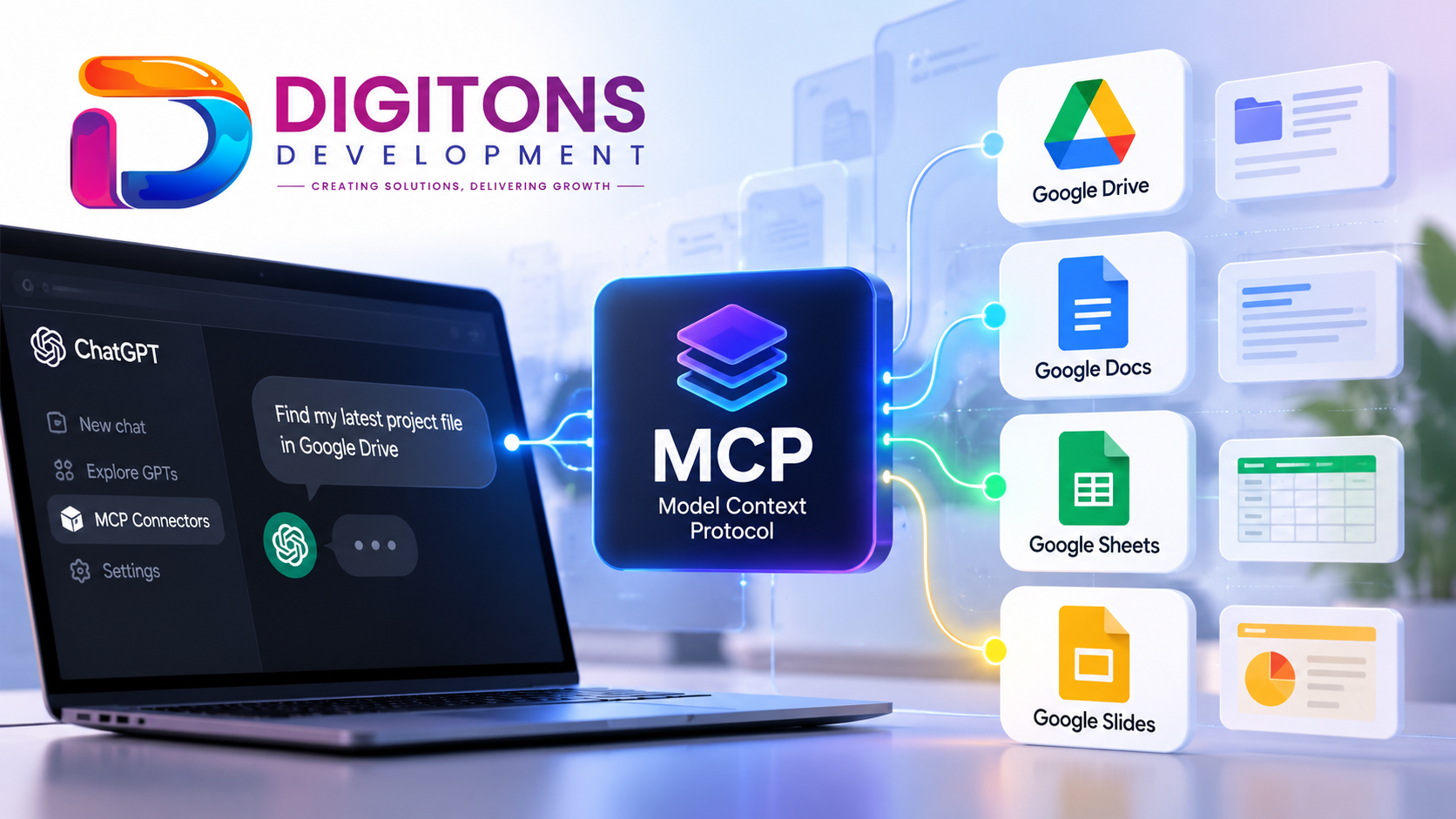
What if you could ask your AI assistant to find a document in Google Drive, work with a spreadsheet, or help update a presentation? For most teams, interacting with an AI assistant still means copying and pasting text back and forth between browser tabs. While modern conversational models are remarkably proficient at reasoning, analysis, and drafting text, they have traditionally operated in isolation from the files and software tools businesses rely on every single day.
That barrier is disappearing. By connecting AI assistants directly to external applications and verified data repositories, teams can transform static chat interfaces into practical productivity environments. At the center of this transformation is an open standard known as Model Context Protocol (MCP).
What Is MCP?
MCP stands for Model Context Protocol. It is an open, standardized protocol created to connect AI applications—such as ChatGPT—to external systems, databases, filesystems, and web services. Before MCP, connecting a language model to an external service required bespoke integrations, brittle API wrappers, or proprietary plugin formats that did not transfer across platforms.
An MCP server acts as a secure intermediary. It defines and exposes a specific set of tools, resources, and prompts that a compatible AI assistant can call when answering user requests. Rather than granting an AI assistant broad, uncontrolled access to your computer or cloud services, MCP operates through a structured and permission-bounded flow:
User Request → AI Assistant → MCP Connection → Authorized Google Workspace Tools → Result
When you ask a question, the AI determines whether a specific tool exposed by the MCP server can fulfill the request. If permitted, the assistant requests the tool execution through the protocol, receives structured data, and presents the completed result to you. Crucially, user authorization and granular permissions govern every action. MCP does not grant unrestricted access across an entire environment; it only allows interactions with explicitly supported, authorized tools.
Meet Digitons Development MCP
To bring the power of protocol-based tool execution into your everyday workflow, Digitons Development has deployed an official Google Workspace MCP server.
- Product: Digitons Development MCP
- Official Endpoint:
https://mcp-v2.digitonsdevelopment.com/mcp
This implementation connects ChatGPT directly with Google Workspace through an authorized, standard OAuth 2.0 flow. According to the official product documentation, the server provides a dedicated suite of 32 tool endpoints purpose-built across Google Drive, Google Docs, Google Sheets, and Google Slides. Instead of juggling multiple disjointed plugins, users can access their collaborative workspace through a single, unified MCP integration.
What Can You Do With Digitons Development MCP?
The Digitons Development MCP translates everyday language requests into structured tool commands across four essential Google Workspace services:
Google Drive
Organize, locate, and supervise your cloud assets effortlessly. Supported capabilities include:
- Searching for files and retrieving detailed file metadata
- Browsing folder hierarchies and listing file contents
- Reading supported files directly into conversation context
- Creating folders, renaming, moving, and copying items
- Reviewing and managing file sharing permissions
Google Docs
Work directly on your written materials without manual copying:
- Creating new documents from prompts
- Reading existing document bodies and formatting
- Updating text and appending new content sections
Google Sheets
Interact with tabular data dynamically:
- Creating new spreadsheets for tracking and operations
- Reading specific cell ranges and data grids
- Updating existing cell ranges and appending new rows to sheets
Google Slides
Streamline presentation workflows:
- Creating new slide presentations
- Reading slide contents and text elements
- Updating presentation content for briefings and decks
With these endpoints enabled, you can give natural instructions directly inside ChatGPT, such as:
“Find the latest project proposal in my Google Drive.”
“Summarize this document.”
“Read the sales figures from my spreadsheet.”
“Add these records to my existing sheet.”
“Help me update the content of my presentation.”
Each operation is executed according to the supported tool definition, the active OAuth scope, and your individual Google account permissions. The server supports read, write, and organizational actions where permitted by your account settings.
Security and User Authorization
Connecting an AI model to business documents demands deliberate data protection. Digitons Development MCP follows a documented, privacy-conscious architecture:
- Per-User OAuth 2.0 Authentication: Every user connects through Google's standard OAuth 2.0 consent mechanism. The AI model only receives access to the documents and services you explicitly approve.
- Account Isolation: Sessions and user operations remain isolated. One user's queries and credentials never interact with or leak into another user's session.
- Protected Token Management: Access tokens are maintained within secure server infrastructure and are never exposed in conversation contexts or client-side prompts.
By enforcing permission-based execution at every step, the integration ensures your AI workflow respects your existing Google account access levels.
How to Get Digitons Development MCP
The Digitons Development MCP is an existing, hosted integration designed for professionals and teams looking to streamline their Google Workspace operations within ChatGPT. Because deployment options, compatibility considerations, and access prerequisites depend on your specific technical setup and assistant configuration, availability is coordinated directly by our team.
If you or your organization would like to obtain access to the Digitons Development MCP, get in touch with Digitons Development to learn about the relevant availability, access requirements, and setup guidance.
Frequently Asked Questions
What is MCP in AI?
MCP (Model Context Protocol) is an open standard that allows compatible AI assistants to communicate securely with external data sources, business applications, and software tools using structured, permission-controlled tool calls.
What can an MCP server do?
An MCP server exposes specific actions and data endpoints—such as searching a drive, reading a document, or updating a spreadsheet—that an AI model can request on behalf of an authorized user.
What can Digitons Development MCP access?
The Digitons Development MCP connects to Google Drive, Google Docs, Google Sheets, and Google Slides via 32 tool endpoints, allowing authorized search, reading, updating, and file organization based on your connected Google account permissions.
How can I enquire about Digitons Development MCP?
You can enquire about obtaining access by reaching out through the official Digitons Development contact page. Our team will guide you through current availability, system requirements, and setup steps.
Want to Get Digitons Development MCP?
Looking to connect ChatGPT with your Google Drive, Docs, Sheets, and Slides? Contact Digitons Development to enquire about the Digitons Development MCP and learn about the access and setup requirements.
Ready to turn these ideas into results?
Let's discuss how tailored digital marketing, custom web engineering, and targeted SEO can accelerate your business goals.